![connect-fibre-logo-whie.png]](https://www.connectfibre.co.uk/hs-fs/hubfs/emails/connect-fibre-logo-whie.png?height=40&name=connect-fibre-logo-whie.png)
Follow these steps to help you reset your password for the Connect Phone Web Portal:
- Go to the Login Page for the Web Portal.
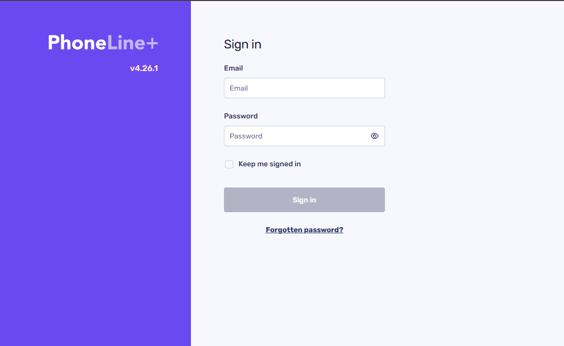
- Look for the Forgot Password link, beneath the Sign In button.
- Enter your email address.
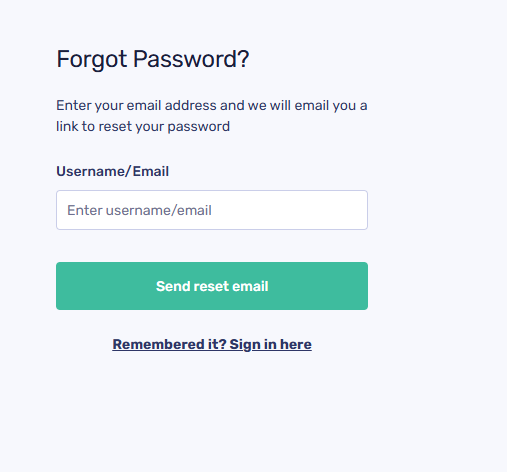
- Click on Send reset email . An email will be sent to you with a link whereby you can reset your password.
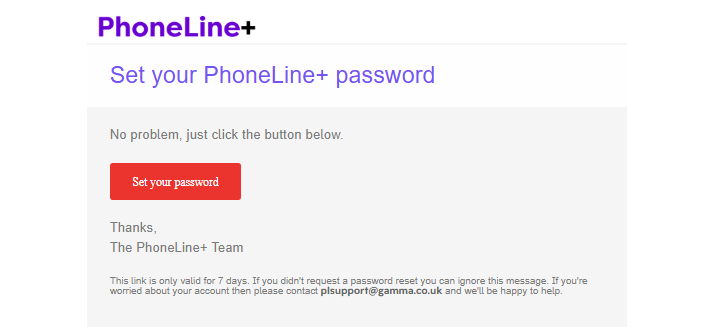
- Check your email and find the password reset email that has been sent. Click on Set your Password.
- Create a New Password and then repeat it in Confirm Password.
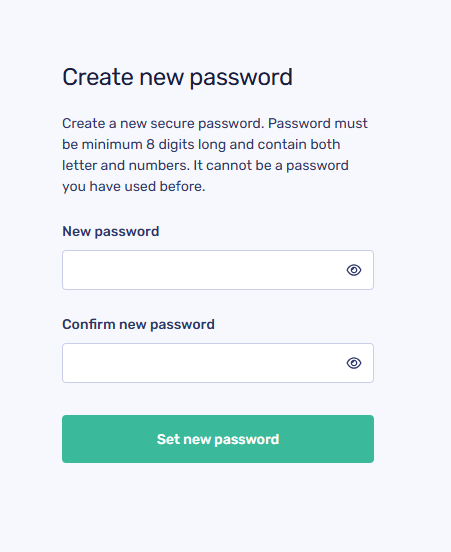
- Click Set new password.
- You'll now be able to go back to the Login Page for the Web Portal and Log in with your new password
If you don't receive your Password Reset email please check your Junk/Spam folder in case it has gone in there!