.png?width=200&height=86&name=cf_logo_black%20(2).png)
How to log into the Linksys Web Interface
- On a computer, please go to 192.168.1.1 or myrouter.local on your browser.
- Click on the Continue to Linksys Smart Wi-Fi link to go to the login page.
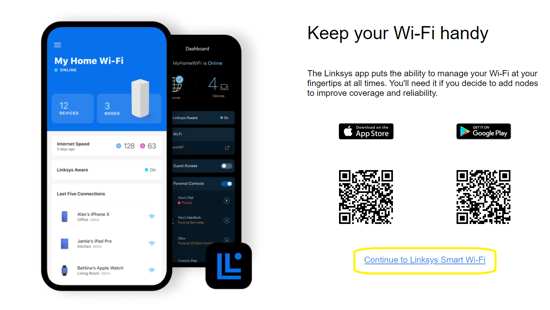
- Click on the Continue to Linksys Smart Wi-Fi link to go to the login page.
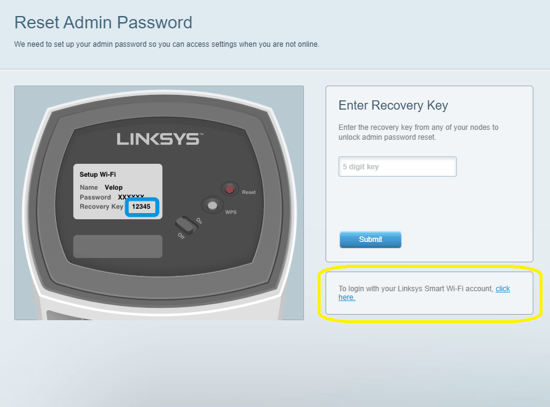
- You may be prompted to Reset the Admin Password. If this is your first time logging in please find the Recovery Key on the bottom of your router and enter it.
- You will then be prompted to create a new password.
- Alternatively you can click the link at the bottom to login with your Linksys Smart Wi-Fi account.
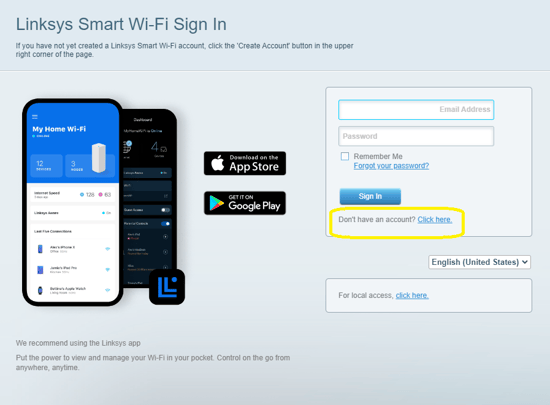
- Here you can enter your email and password associated with this, or click the link beneath sign into create an account.
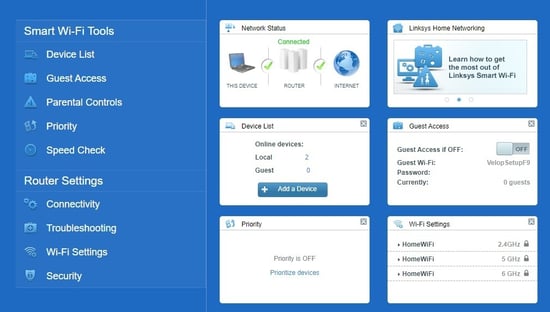
- Once you have entered your login details successfully you will then be logged into the web interface.