![connect-fibre-logo-whie.png]](https://www.connectfibre.co.uk/hs-fs/hubfs/emails/connect-fibre-logo-whie.png?height=40&name=connect-fibre-logo-whie.png)
Swapping your Router
- Unplug your old router.
- Plug in the new router and connect it to the ONT (the modem on the wall) with the ethernet cable.
- Wait a minimum of 10 minutes.
- The light should cycle to blue and your connection will return.
- Please then log into the Linksys App - (using the router password option and reset password) and then run the Channel Finder Tool on the Linksys App.
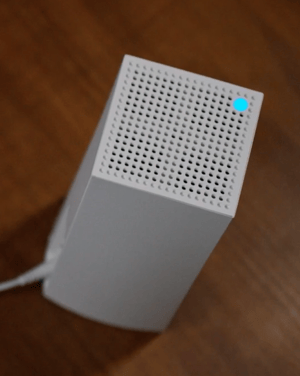
IF you have waited for 10 minutes and the light remains red.
- Please check the connecting cables between the ONT (the modem on the wall) and the router.
- If the cable was connected correctly, factory reset the node by pressing and holding the reset button until the light on the top of the node goes off.
- Then wait 10 minutes. If this does not resolve the issue please contact customer service.
- If the cable was not connected correctly, please reconnect the cable and try again.
Once your new router has arrived we will arrange for collection for the old equipment so please set it up promptly.
If you are having trouble completing the set up of your router swap please get in touch with Customer Service.