.png?width=200&height=86&name=cf_logo_black%20(2).png)
- Make sure the device you're using is connected the your Connect Fibre Wi-Fi and not a 3rd party Wi-Fi booster.
- Turn off any VPN.
-
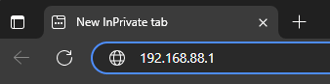
On your computer open up a web page and enter 192.168.88.1 in the address bar. Press enter.
-
Now you should see a TP-Link Login screen prompting you for a password.

-
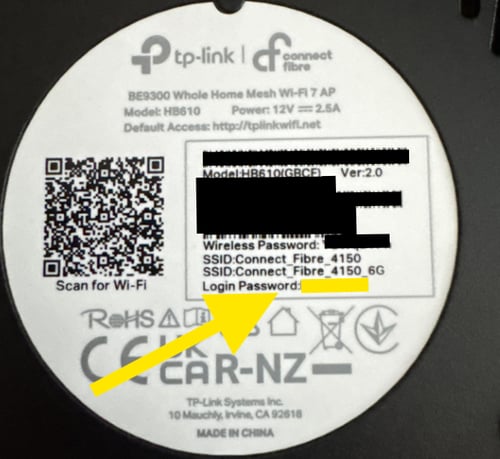
You password is located on the sticker on the bottom of your router. As shown in the picture below. It'll be marked Login Password.
- In some rare cases: if there is no 'Login Password' on your sticker then the password is 'admin'