.png?width=200&height=86&name=cf_logo_black%20(2).png)
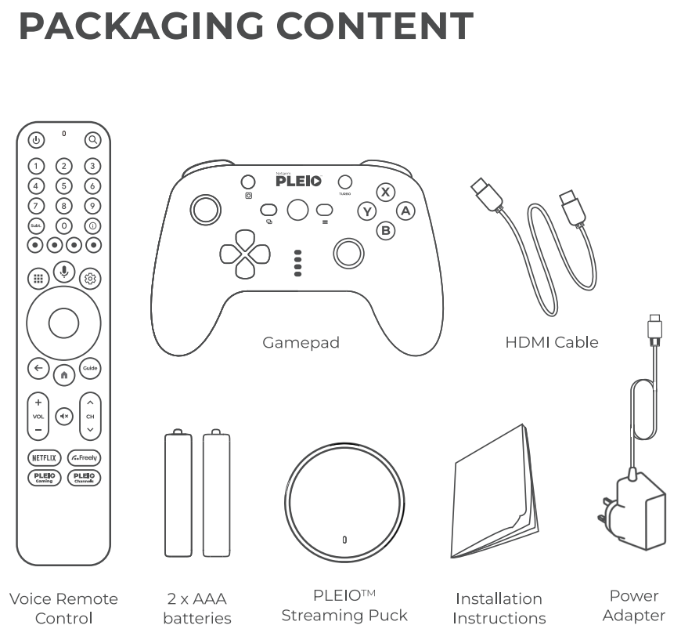
Inside your package, you'll find everything you need to get started: the compact PLEIO puck, a gaming controller, a remote, an HDMI cable, and a power adapter. Its very simple to setup with your existing TV.
-
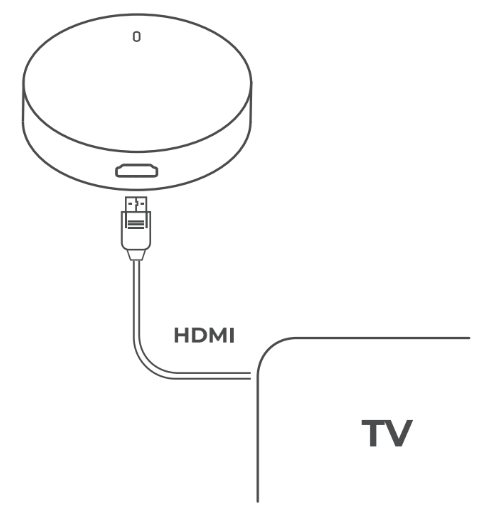
Take the supplied HDMI cable and plug it into one of your TV's empty HDMI ports. Then, plug the other end of the cable into your PLEIO puck.
-
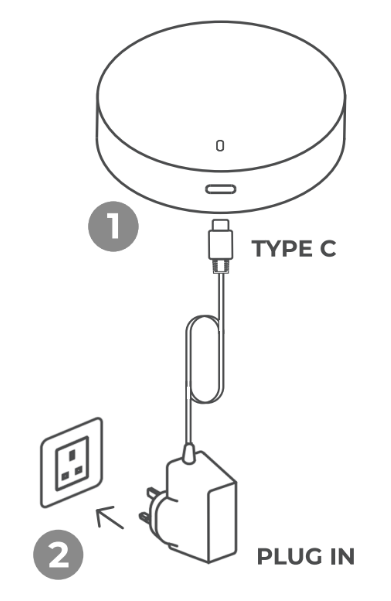
Plug in the power adaptor into a power socket, and insert its cable into the other end of the PLEIO puck.
-
The setup sequence should then automatically load onto your TV screen. If not, you may need to use the AV/Source/Input key on your TV remote to select the correct HDMI port to display.
- Follow the on-screen setup instructions to start your watch, stream, and play experience.
For full support with setting up your device and lots of troubleshooting guides you can visit the Netgem PLEIO website